

Diagnosing 404s and redirects affecting rankings starts with separating two different failures: a 404 tells Google and visitors that a URL no longer resolves, while a redirect tells it the content moved somewhere else — and each breaks rankings in its own way. A page stuck on 404 fades out of the index gradually, while a mismanaged redirect (a chain, a loop, or a 302 where a 301 belongs) can actively waste authority the page already earned. Knowing which one you're looking at decides what you fix first.
TL;DR:
- A 404 removes a page from search results gradually; a broken redirect can actively waste ranking signals a page already built.
- 404 is a standard HTTP status code meaning "not found" — it is not a block, a ban, or a security decision.
- Google generally needs repeat crawls over time before treating a 404 as permanent removal, not an instant judgment call.
- Redirect chains and 302s used where a 301 belongs are a bigger long-term ranking risk than most isolated 404s.
- Server logs and the Page Indexing report in Search Console catch problems a desktop crawl alone will miss.
Table of Contents
- Why a 404 and a Redirect Create Completely Different Ranking Problems
- What a 404 Error Actually Means — And What It Doesn't
- Why Error 404 Became the Most Recognized Code on the Web
- Is a 404 Permanent? How Google Decides When to Drop a URL
- Finding Every 404 and Redirect Problem Before It Costs You Rankings
- Redirect Chains, Loops, and the Wrong Status Code
- Diagnosing 404s and Redirects: A Four-Step Workflow
- When a 404 Is the Correct Answer, Not a Problem to Redirect Away
- Catch 404s and Redirect Problems Before They Hurt a Ranking You Already Earned
- Frequently Asked Questions
- Sources
Why a 404 and a Redirect Create Completely Different Ranking Problems

A 404 is a dead end. The server looked for the page, found nothing, and said so. Over weeks of repeated crawl attempts, Google stops trying and the URL quietly drops out of the index — no penalty, no manual action, just attrition. A redirect is different: it's an instruction, and instructions can be wrong. A 301 pointed at the wrong page, a chain of three redirects where one would do, or a 302 left in place for a year all actively interfere with how link equity and relevance signals pass from the old URL to the new one. Treating both problems the same way — "just check for broken links" — is why so many audits miss the redirect half entirely.
What a 404 Error Actually Means — And What It Doesn't
A 404 is an HTTP status code, nothing more. It means the server received the request and could not find a resource at that address. Google's Search Central documentation treats 404 and 410 as the correct, expected response for a page that is genuinely gone — not an error to panic over, but a signal to act on deliberately.
A 404 does not mean you were blocked. Blocking is a different status code entirely: 403 Forbidden, which the server returns when it recognizes the request and actively denies it — a firewall rule, a login wall, a geo-restriction. A 404 carries no judgment about who is asking; it simply says the thing being asked for isn't there.
404 and 403 both sit in the 4xx client-error range defined by RFC 9110, the current HTTP semantics standard, but only one of them means access was denied. A 404 says nothing was ever there to deny.
Why Error 404 Became the Most Recognized Code on the Web
Of all the three-digit numbers a server can return, 404 is the one most people could name without ever reading an HTTP spec. Part of that is simple repetition — it's the error every internet user eventually sees after a typo, a dead bookmark, or a site redesign that broke old links. Part of it is cultural: it became shorthand on its own, used in conversation to mean "missing" or "doesn't exist" long after people forgot it came from a web server response. No other status code made that jump into everyday language, which is a strange kind of fame for a number that exists purely to say "nothing is here."
Is a 404 Permanent? How Google Decides When to Drop a URL
A 404 is not an instant or permanent verdict. Google does not remove a URL from its index the first time it hits a 404 — it recrawls at intervals, and a page that returns to a 200 status before that process finishes can recover without ever disappearing from search results. If the 404 persists across multiple crawl attempts, Google treats it as confirmation the content is genuinely gone and removes the URL over time.
The trickier case is the soft 404: a page that returns a 200 OK status code but displays "page not found," "item unavailable," or an empty search results template. Google's documentation specifically calls out soft 404s as a separate Page Indexing issue, because the server is lying about the outcome — and Google will eventually stop trusting that URL even though technically it never returned an error code at all. If your Search Console coverage report shows a cluster of soft 404s, that's a content and response-code mismatch, not a crawling glitch.
Finding Every 404 and Redirect Problem Before It Costs You Rankings

You can't fix what you haven't found, and a single crawl tool rarely surfaces everything. Each source below catches a different slice of the problem:
- Search Console's Page Indexing report. Shows what Google has actually tried to crawl and failed on — the most authoritative list, but it's delayed by Google's own crawl schedule, so it won't show today's broken link today.
- Server log files. The only source that shows what real crawlers and real visitors hit, including 404s on URLs that no sitemap or internal link ever pointed to — often the result of old backlinks or indexed pages from years ago.
- A standalone site crawler. Fast and controllable, but it only finds what it can reach by following links from your own site, so orphaned pages with inbound links from elsewhere stay invisible.
- Page-health checks inside your rank tracker. Useful because it ties the 404 or redirect directly to the keyword and ranking history it's affecting, instead of handing you an unranked list of URLs to triage manually.
| Status code | Meaning | Typical ranking effect | What to do |
|---|---|---|---|
| 404 | Not found | Gradual de-indexing over repeated crawls | Confirm intentional; redirect only if a true replacement exists |
| 410 | Gone, permanently | Faster de-indexing than 404 | Use when content is deliberately retired, not just missing |
| 301 | Moved permanently | Passes most ranking signals to the target | Correct choice for permanent moves and merges |
| 302 | Moved temporarily | Signals often stay with the original URL | Use only for genuinely temporary moves, never long-term |
| 200 (soft 404) | Shows "not found" but returns OK | Confuses crawlers, delayed de-indexing | Return a real 404/410, or restore the content |
| 5xx | Server error | Repeated 5xx can pause crawling entirely | Fix server/hosting issue immediately |
Redirect Chains, Loops, and the Wrong Status Code

A single 301 from an old URL to its replacement is nearly free, ranking-wise. A chain — A redirects to B, which redirects to C, which finally lands on D — is not. Each hop adds crawl overhead and a small amount of signal dilution, and if Googlebot gives up partway through, it may never reach the final destination at all.
Redirect type matters just as much as chain length. A 301 tells search engines to transfer ranking signals to the new URL permanently. A 302 tells them the move is temporary, so they tend to keep evaluating the original URL rather than fully crediting the new one — which is exactly backward if the move was permanent and you just used the wrong code out of habit (most CMS platforms default to 302).
Google's documented robots.txt specification states that crawlers will follow at least five redirect hops before giving up and treating the request as failed. Chains that long anywhere on a site are a liability, not just a technicality.
Diagnosing 404s and Redirects: A Four-Step Workflow
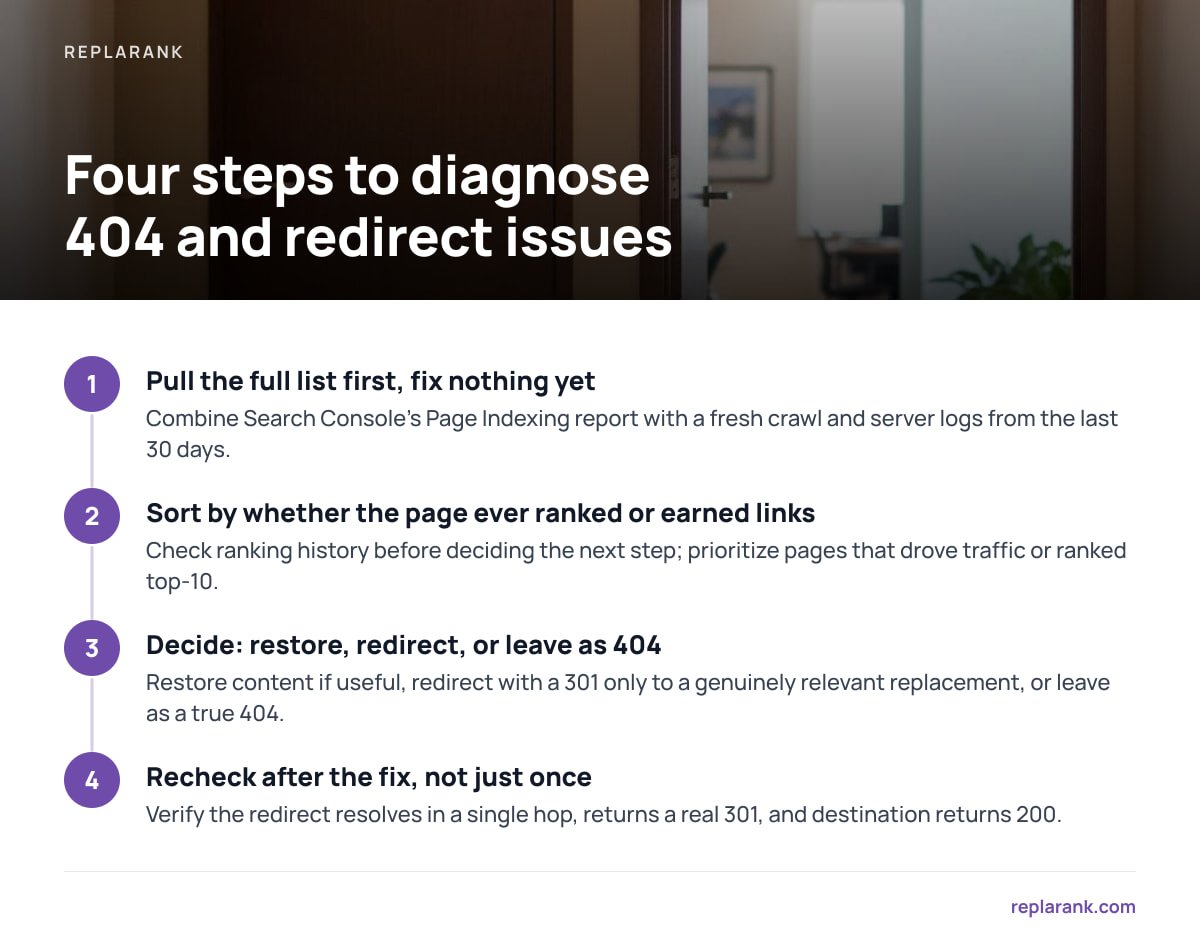
- Pull the full list first, fix nothing yet. Combine Search Console's Page Indexing report with a fresh crawl and, if you can get them, server logs from the last 30 days. Resist the urge to patch the first 404 you see — the pattern across all of them tells you more than any single URL does.
- Sort by whether the page ever ranked or earned links. A 404 on a page with zero backlinks and zero historical rankings is low priority. A 404 on a page that was driving traffic or holding a top-10 position six months ago is urgent — check its ranking history before deciding the next step.
- Decide: restore, redirect, or leave as 404. Restore the content if it still serves a purpose. Redirect with a 301 only to a genuinely relevant replacement — a close match in topic, not just the nearest category page. Leave it as a true 404 (or 410) if the content has no real equivalent; a dishonest redirect confuses users more than an honest dead end.
- Recheck after the fix, not just once. Verify the redirect resolves in a single hop, returns a real 301, and that the destination itself returns 200. Then watch rankings over the following weeks rather than assuming the fix worked because the crawler stopped flagging it.
Pro Tip: Check redirects with the protocol they'll actually be crawled with, not just a browser. Browsers silently follow chains and even normalize some malformed redirects, which means a redirect that looks instant and clean in Chrome can still be a three-hop chain with a 302 buried in the middle when a crawler or curl requests it directly.
When a 404 Is the Correct Answer, Not a Problem to Redirect Away
Not every 404 deserves a redirect, and treating "redirect everything" as a blanket policy creates its own mess. If a product is discontinued with no replacement, if a blog post was retracted, or if a page existed only briefly for a one-time event, a clean 404 or 410 is the honest response. Redirecting those URLs to your homepage or a loosely related category page doesn't preserve value — it just adds noise to your redirect map and sends visitors somewhere they didn't ask to go, which shows up later as high bounce rates on the receiving page. A 404 that's actually correct doesn't need fixing; it needs confirming.
Catch 404s and Redirect Problems Before They Hurt a Ranking You Already Earned
Most rank trackers tell you a position moved and stop there. ReplaRank checks the page behind each tracked keyword alongside the position itself — flagging 404s, redirect chains, wrong status codes, and noindex tags on desktop, mobile, or both, across 35 countries, so a drop shows its cause instead of just its symptom. It's a one-time $399 purchase, self-hosted on your own server, with no login wall forcing clients through a dashboard.
One honest caveat: if you're checking hundreds of keywords daily, the pay-per-check data cost can add up past what a subscription like Wincher's Basic plan charges — ReplaRank wins clearly on weekly checks, smaller keyword sets, and not paying monthly forever, not on high-frequency checking at scale. Compare it against the alternatives in this self-hosted vs. SaaS breakdown before you decide.
Frequently Asked Questions
Does a 404 error mean I was blocked?
No. A 404 means the server couldn't find anything at that address, with no judgment about who asked. Being blocked returns a 403 Forbidden instead, which specifically signals that access was recognized and denied.
Why is error 404 so famous?
It's the error nearly every internet user encounters eventually, through typos, dead bookmarks, or site redesigns, and repetition alone made it recognizable far outside technical circles. It's also the only status code that became everyday shorthand for "missing" in conversation, long after its HTTP origins.
What does a 404 error mean?
It means the server received the request but found no resource at that URL. It's a standard HTTP status code in the 4xx client-error range, and search engines treat it as the correct response for content that is genuinely gone.
Is a 404 error permanent?
Not immediately. Google recrawls a 404'd URL over time before removing it from the index, so a page that returns to normal before that process finishes can recover without lasting damage. Persistent 404s across multiple crawl attempts are what lead to permanent removal.
What's a soft 404 and why is it worse than a normal one?
A soft 404 returns a 200 OK status code while displaying a "not found" or "unavailable" message, which misleads crawlers about the page's real state. Google calls it out separately in the Page Indexing report because the mismatch between the status code and the content delays how search engines handle it.
Should every 404 be redirected?
No. Redirecting a page with no real replacement just to avoid a 404 sends visitors somewhere irrelevant and adds unnecessary entries to your redirect map. A clean 404 or 410 is the honest, correct response when content has genuinely been retired with no equivalent.
Sources
- HTTP and network errors and Google Search | Google Search Central
- Page Indexing report | Google Search Console Help
- How Google interprets the robots.txt specification | Google Search Central
- RFC 9110: HTTP Semantics | IETF