

How to detect spammy backlinks comes down to separating links that are genuinely harmful from links that are merely low quality — most "spammy-looking" backlinks do nothing at all, while a smaller set of manipulative, pattern-based links can trigger algorithmic distrust. The distinction that matters is pattern over appearance: one ugly link is noise, but fifty links with identical anchor text from unrelated sites in the same week is a signal.
TL;DR:
- A single low-quality link rarely matters; Google's own systems are built to ignore most spam rather than penalize it.
- Look for pattern, not appearance — identical anchor text, same publish date, or same IP range across dozens of domains is the real tell.
- Anchor text over-optimization (same exact-match phrase on more than roughly 15-20% of your links) is one of the few ratios worth tracking over time.
- The disavow tool in Google Search Console is for active, unnatural link schemes — not for cleaning up a profile that simply looks messy.
- Treat backlink review as a recurring check tied to your ranking data, not a one-time audit, since link spikes and ranking drops need to be read together.
Table of Contents
- Detecting Spammy Backlinks Starts With Pattern, Not Panic
- Six Signals Worth Checking Before You Call a Link Spam
- Anchor Text Ratios: The One Number Worth Tracking Over Time
- Link Velocity: When a Growth Spike Is Actually an Attack
- Using Google Search Console to Audit What's Actually Linking to You
- The Disavow File: What It's For, and Why Most Sites Shouldn't Touch It
- Manual Review Checklist Before You Flag Anything
- Get Page Health and Link Context in the Same Place You Track Rankings
- Frequently Asked Questions
- Sources
Detecting Spammy Backlinks Starts With Pattern, Not Panic

Most links that look spammy are harmless. Google's own spam policies documentation is explicit that its systems are designed to devalue manipulative links algorithmically, not to penalize a site because some random directory linked to it. The question you actually need to answer isn't "does this link look bad," it's "does this link belong to a pattern that's trying to move my rankings artificially."
That distinction changes what you check first. A single guest post with an exact-match anchor is normal marketing. Fifty guest posts with the same exact-match anchor, published within three weeks, from domains that share a hosting IP block — that's a pattern, and patterns are what Google's link spam systems are built to catch.
One link with over-optimized anchor text is a coincidence. Thirty with the same anchor in the same month is a campaign.
Six Signals Worth Checking Before You Call a Link Spam

Run through these in order. Most spam audits fail because people check for ugliness (bad design, foreign-language text) instead of checking for the signals that actually correlate with manipulation.
The signals that matter
- Anchor text repetition. If more than 15-20% of your total referring domains use the exact same commercial keyword as anchor text, you have an over-optimization pattern, not organic link growth.
- Topical irrelevance at scale. One irrelevant link (a recipe blog linking to your SaaS tool) is noise. Dozens of irrelevant links pointing to the same target page, especially to a deep interior page with no other promotion, is not.
- Domain footprint clustering. Check WHOIS creation dates and hosting IP ranges. Private blog networks reuse the same registrar, the same template, and often the same C-block IP range across dozens of "independent" sites.
- Publish-date clustering. A batch of links that all went live within the same 48-72 hour window, especially from otherwise inactive domains, points to a purchased link package rather than earned coverage.
- Zero organic traffic on the linking page. A site with no indexed content, no social signal, and no search visibility of its own has nothing to pass along — it exists only to link.
- Sitewide or footer placement. Links embedded in a footer, sidebar, or site-wide widget across hundreds of pages on one domain are a classic paid-link footprint, not editorial endorsement.
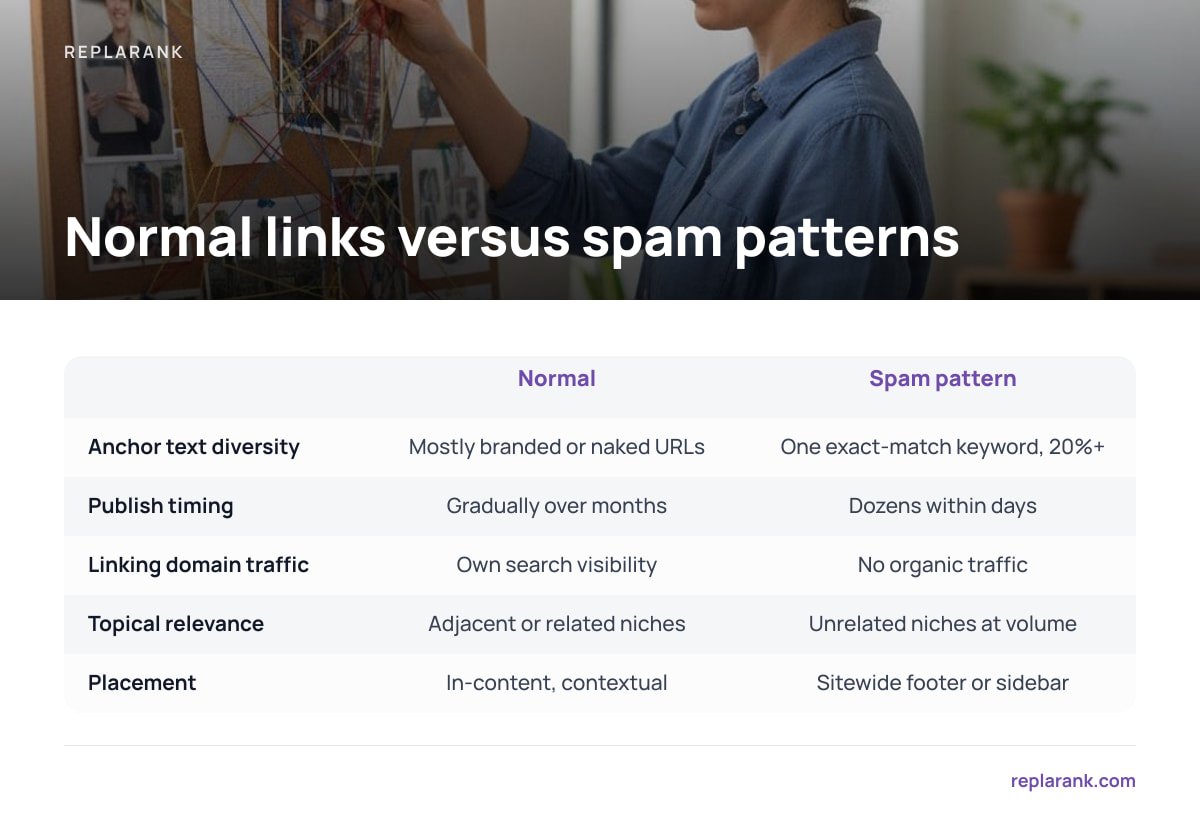
| Signal | What normal looks like | What a spam pattern looks like |
|---|---|---|
| Anchor text diversity | Mostly branded or naked URLs, some partial-match | One exact-match keyword on 20%+ of links |
| Publish timing | Links accrue gradually over months | Dozens appear within days of each other |
| Linking domain traffic | Linking sites have their own search visibility | Linking sites rank for nothing, show no organic traffic |
| Topical relevance | Links come from adjacent or related niches | Links come from unrelated niches at volume |
| Placement | In-content, contextual | Sitewide footer or sidebar widget |
Pro Tip: Don't audit your full backlink list chronologically. Sort by "first seen" date and look for clusters — three or more new referring domains appearing within 72 hours of each other is a far stronger signal than any individual domain's quality score, because organic link acquisition almost never arrives in synchronized batches.
Anchor Text Ratios: The One Number Worth Tracking Over Time

Anchor text is the single most useful proxy for intent, because it's the one thing a link buyer actually controls. Natural link acquisition produces messy anchor text: brand names, bare URLs, "click here," article titles. Manipulated link building produces clean, repeated, commercial anchors because the whole point is to tell the algorithm what to rank the page for.
Pull your full anchor text distribution and calculate what share of total referring domains use your primary commercial keyword as exact-match anchor text. A reasonable working threshold is that anything consistently above 15-20% deserves scrutiny, and anything above 30% is almost never the result of organic linking behavior. This isn't a Google-published number — it's a pattern-recognition heuristic worth tracking per campaign, and it only matters when it moves, so check it quarterly, not once.
Link Velocity: When a Growth Spike Is Actually an Attack
Not every spike is self-inflicted. Negative SEO — someone building a wave of toxic links to your site on purpose — is real, if less common than forum threads suggest. The tell is the same pattern logic: a sudden burst of low-quality, irrelevant, often foreign-language or gambling/pharma-adjacent domains linking to a page that never had that kind of attention before.
The fix is not to panic and disavow everything that showed up that week. Cross-reference the spike against your actual ranking data for the pages in question. If rankings haven't moved and Search Console shows no manual action or algorithmic link warning, the spike is very likely being ignored by Google's systems already, exactly as Google's spam policies describe. If a related page's position history shows a corresponding drop in the same window, that's when the spike is worth acting on — which is why link audits work best alongside a tool that already tracks position history, not as a standalone spreadsheet exercise.
Using Google Search Console to Audit What's Actually Linking to You
Your backlink data has to start somewhere, and the most authoritative source for what Google itself has indexed as linking to you is the Links report inside Google Search Console. It won't show every link a third-party crawler finds, but every link it does show is one Google has actually seen — which makes it the ground truth for anything you plan to disavow.
Export the full list, not just the sample. Cross the domain list against a WHOIS lookup for registration date and registrar, and against a basic crawl check for whether the linking page still resolves — a surprising share of "spammy" links sit on pages that have since 404'd or redirected, which makes them moot regardless of quality. If you're already running page-health checks on your own site for 404s and redirects, apply the same logic outward to the pages linking in.
The Disavow File: What It's For, and Why Most Sites Shouldn't Touch It
Google Search Console's disavow tool documentation states plainly that most sites do not need to use it, and that Google's algorithms already discount the vast majority of unnatural links without any site owner action. The tool exists for two narrow cases: you've received a manual action in Search Console tied to unnatural links, or you have strong evidence of a sustained negative SEO campaign with a measurable ranking impact.
Treat disavow as irreversible in practice, even though it's technically a text file you can resubmit. Disavowing a link tells Google to stop counting it entirely, including any positive value it might carry that you misjudged. Search Engine Land's reporting on Google's link spam updates has repeatedly noted that over-aggressive disavowing has caused more harm than the links being removed ever did, because site owners disavow based on appearance rather than pattern and strip out links that were never a problem.
Most sites that use the disavow tool did not need to. Google says so in its own documentation.
Manual Review Checklist Before You Flag Anything
Before adding a domain to a disavow file, confirm all of the following. If you can't check at least three of these boxes, hold off.
- Confirmed manual action or algorithmic ranking drop tied to the timeframe the links appeared, visible in your own position history.
- Pattern across multiple domains, not a single outlier — anchor repetition, timing clusters, or shared infrastructure.
- Zero organic visibility on the linking domains themselves, checked independently of your own tool's scoring.
- No existing relationship (guest post you wrote, partnership, press mention) that would explain the link legitimately.
- Exported from Search Console, not a third-party crawler sample, so you're disavowing what Google has actually indexed.
This is slower than running a one-click "toxic score" and disavowing everything above a threshold, and that's the point. The sites that get hurt by their own disavow files are almost always the ones that skipped this list.
Get Page Health and Link Context in the Same Place You Track Rankings
Most backlink audits happen in a vacuum — a spreadsheet of domains with no connection to whether the pages they point at are actually ranking, indexed, or even still live. ReplaRank pairs backlink and referring-domain data with the position history and page-health checks (404s, redirects, noindex, canonical issues) for the same keywords, so a link velocity spike and a ranking drop show up next to each other instead of in two different tools you have to reconcile by hand. It's a one-time $399 purchase, self-hosted on your own server, and you pay the search-data provider directly at cost.
The honest trade-off: if you're checking a small set of priority keywords weekly, that setup is dramatically cheaper than a recurring subscription. If you're checking hundreds of keywords daily, the per-check cost of fresh data adds up fast enough that a flat-rate subscription can actually come out cheaper — run your own numbers before you buy, the same way you'd check a spec sheet before buying anything else.
Frequently Asked Questions
What's the fastest way to tell if a backlink is spammy versus just low quality?
Check for pattern, not appearance — a single odd-looking link is rarely a problem, but a batch of links sharing the same anchor text, publish date, or hosting infrastructure is the real signal. One ugly link almost never moves rankings; a coordinated set of them is what Google's spam systems are built to catch.
Do I need to disavow every spammy-looking backlink I find?
No. Google Search Console's own disavow documentation states that most sites never need to use the tool because its algorithms already discount unnatural links automatically. Disavow is for confirmed manual actions or measurable negative SEO impact, not routine cleanup.
What anchor text ratio should make me worried?
There's no official Google threshold, but a practical heuristic is that if more than 15-20% of your referring domains use the same exact-match commercial keyword, that's over-optimization worth investigating. Above 30% is rarely the result of natural link acquisition.
Can a competitor hurt my rankings by building spammy links to my site?
It's possible but less common than forum discussions suggest, and Google's systems are designed to ignore most of this automatically. Confirm actual impact by checking whether your ranking history for the affected pages moved in the same window the link spike appeared, rather than assuming damage from the spike alone.
Where should I pull my backlink data from for an audit?
Start with the Links report inside Google Search Console, since every link it shows is one Google has actually indexed, which matters if you're deciding what to disavow. Third-party crawler data can supplement it, but it isn't the ground truth Google itself is using.
Sources
- Spam policies for Google web search | Google Search Central
- Disavow links tool | Google Search Console Help
- Search Engine Land coverage of Google link spam updates | Search Engine Land